
Game modes
Every character in TCG Online plays under one of two rulesets. You choose once, per character, and it cannot be changed afterwards — so it is worth knowing what each one means first.
Normal
Unrestricted play. You open packs, build a collection and trade duplicates, and nothing about your account is verified or monitored beyond what you pull.
- Any account can pick Normal, at any level.
- The item lock is a setting, not a mode. It ships switched on, so a Normal character plays under it until you turn Lock uncollected items off in the plugin's config — and you can turn it back on whenever you like.
- Nothing about your account is monitored beyond what you pull.
CardMan
The community Cardcore challenge: an item is only yours to use once you have pulled its card. Items you have no card for are greyed out and cannot be worn, eaten or used.
Picking things up, banking, dropping and all skilling are always allowed — the lock never touches world objects, so you can play the game normally and earn your way into your own gear.
The lock itself is the same plugin setting a Normal character can switch on or off. What CardMan adds is that the run is verified: the character has to start from nothing, the XP it earns is checked, and it ranks on its own board. Playing with the lock turned off is Normal play — CardMan is the claim that you did it under the rules from the first level.
What CardMan requires
- An ironman account. Any of the six types — Ironman, Ultimate, Hardcore, Group, Hardcore Group, Unranked Group. A normal account cannot pick CardMan at all, because it can be given items it never pulled a card for.
- A completely fresh account — no levels at all. Every skill at 1, Hitpoints at 10, combat level 3. That is the state an account is in the moment it steps off Tutorial Island. If any skill has been trained even once, CardMan is no longer available on that character — not until the next reset, not by asking. It is checked against your real levels when you choose, which is why Play CardMan is greyed out on an account that has done anything.
- Playing in RuneLite with the plugin running. CardMan tracks the XP you gain; XP that appears while the plugin was not watching flags the character for review, because the card unlocks stop meaning anything otherwise. Playing on mobile or the vanilla client will do this.
Finish Tutorial Island before you enable the plugin. Tutorial Island gives you your first levels and hands you items — bronze gear, a tinderbox, a fishing net — none of which you have cards for. With the plugin already running, the item lock applies to those and the tutorial becomes difficult to finish; the XP it awards also counts against the fresh-account check. So: create the ironman, do the tutorial, arrive in Lumbridge, then turn the plugin on and pick CardMan.
The reason the fresh-account rule is hard rather than an honour system is that a CardMan run has to start from nothing. An account with levels has already used items it never pulled a card for, so from that point the challenge cannot be verified at all — there is no way to tell which gear was earned under the rules and which predates them.
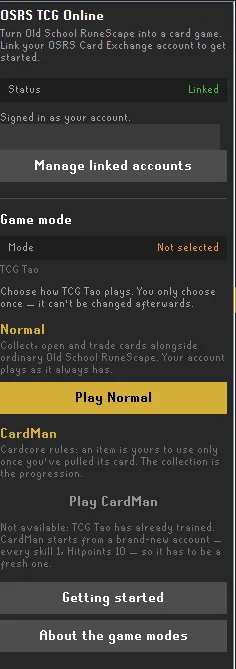
Choosing, and changing your mind
The choice is made per character, once, and cannot be changed afterwards. A second character on the same account can pick differently — the mode belongs to the character, not to your Card Exchange account.
Until a mode is chosen, a character can open packs and collect, but cannot trade. See below.
Trading between modes
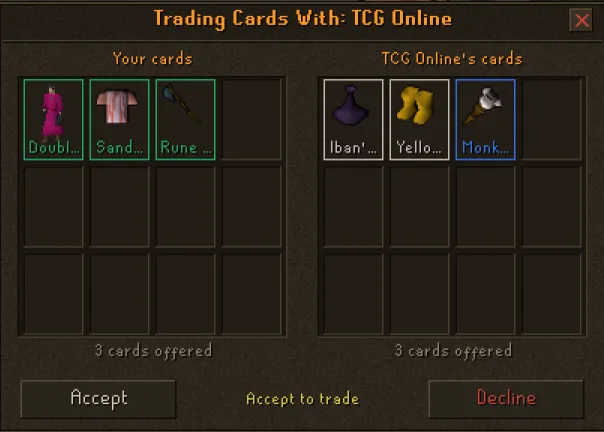
CardMan trades only with CardMan, and Normal only with Normal. The mode is the ruleset, so a card crossing between them would launder a card earned under one set of rules into the other — and CardMan's whole premise is that every card was pulled by that character under those rules.
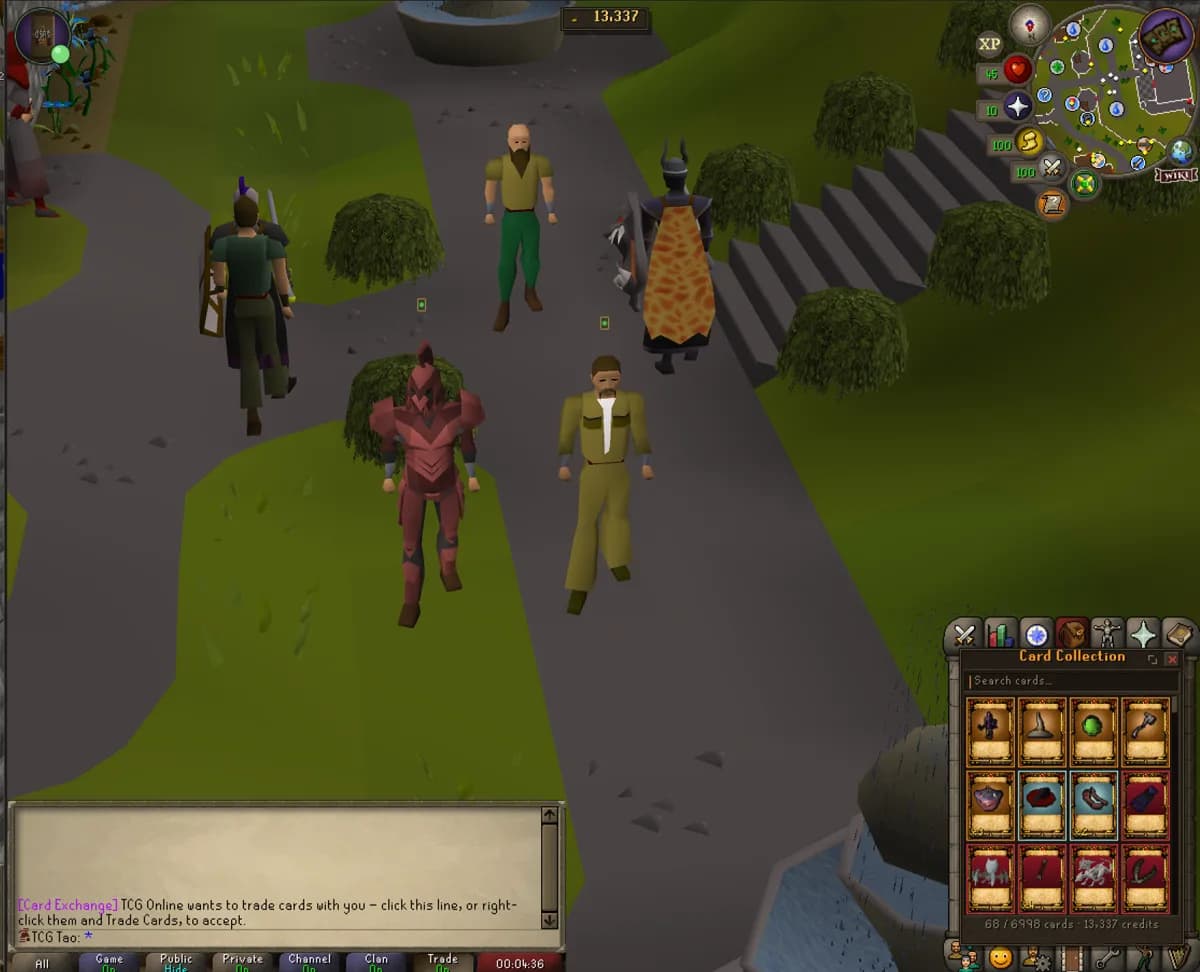
A character that has not chosen a mode yet cannot trade at all. It has not agreed to a ruleset, and defaulting it either way would be picking one on your behalf. If Trade Cards is missing from someone's right-click menu, they are not online in the network — an offer to them could never be delivered.
The other trading rules
- Only duplicates can be traded. Your last copy of a card never leaves — the item lock is derived from what you hold, so trading your only copy away would confiscate an item you had already unlocked.
- Both players must be on the same world. You trade in person, the same as any other trade in Old School.
- A held character cannot trade while a review is open — see below.
Under review
A CardMan character whose XP does not add up is held while a human looks at it. While held, opening packs and trading are disabled and the plugin tells you why. It is a hold pending a check, not an accusation — cleared characters carry on, and a character that has been cleared is never re-flagged for the same reason.